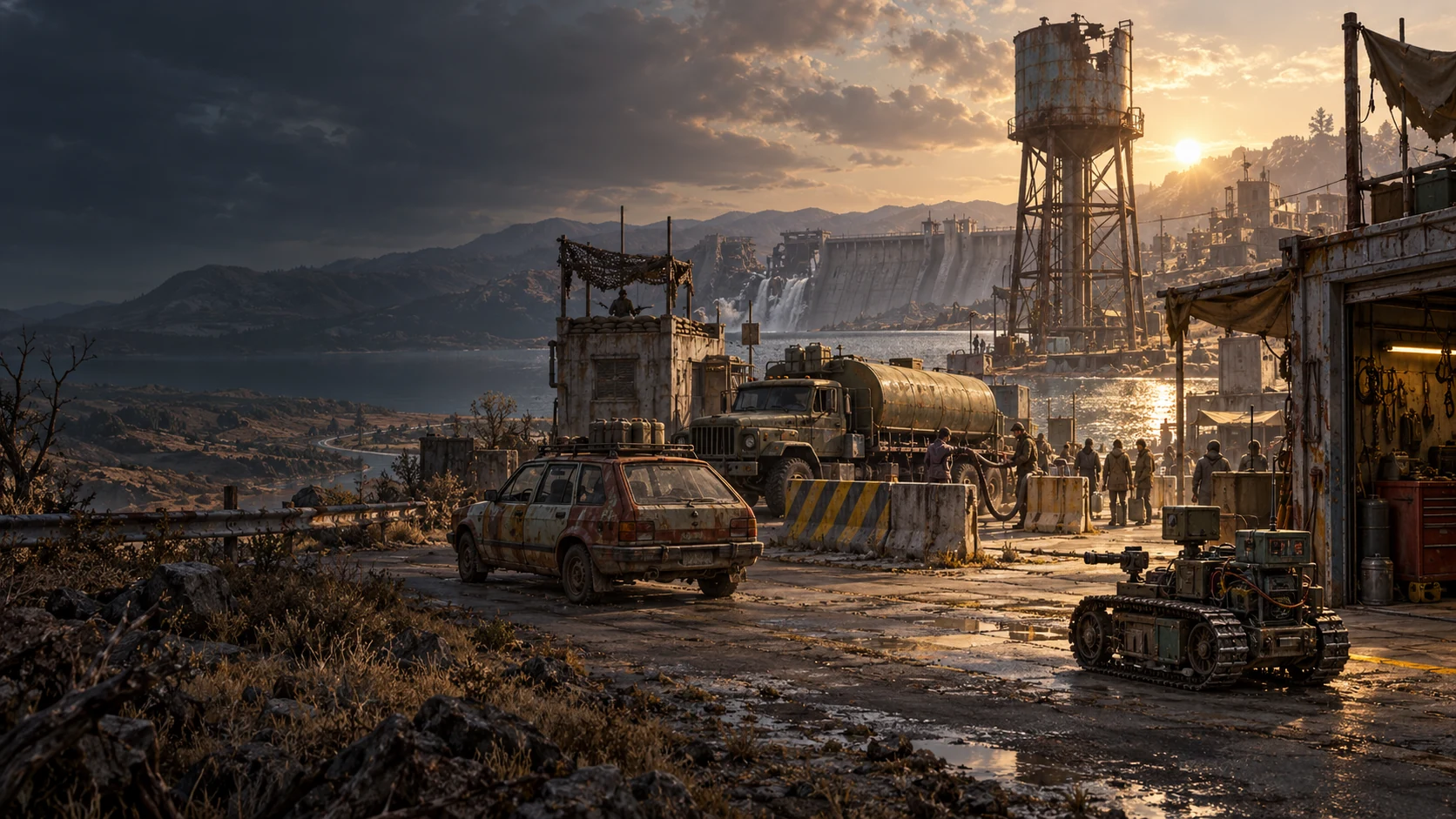
Nuclear war destroyed power grids and unshielded electronics. Survivors brought old diesel engines and petrol vehicles back to life. Fuel kept them moving. Clean water kept them alive.
The Iron Directorate secured old military depots and reservoirs. The Free Settlements rebuilt wells, workshops and convoys. Now their fight runs through the same streets: protect your people, bring water home.
Free in your browser · Guests welcome · Single-player training
A WORLD OF BATTLEFIELDS
A new map? Pick a new place.
You do not have to wait years for another map. Choose your next battlefield on the world map. Real terrain and mapping data shape its streets, hills, buildings and rivers.
Play beneath the sky of the place you chose. Local weather brings clouds, wind and precipitation. The sun follows that location’s real date and time of day.
Conditions update from weather data when available. Terrain detail depends on the source coverage.
EVERY BATTLE HAS A PURPOSE
Bring water home. Leave a border behind.
Steal water from the other faction and deliver it to your base, or win through combat in PvP. Qualifying public victories claim territory on the shared world map.
Scouts find a route. Support vehicles cover it. Heavy carriers bring the water back.
SMALL TOOLS. BIG DECISIONS.
Know what you carry.
Learn to drive, aim, use equipment and spot enemies in a single-player training ground. Practise with the same vehicles and controls used in multiplayer.
Farmers, mechanics and survivors defend shared wells. Fast scouts find a route, utility trucks cover the convoy, and carriers bring the water home.
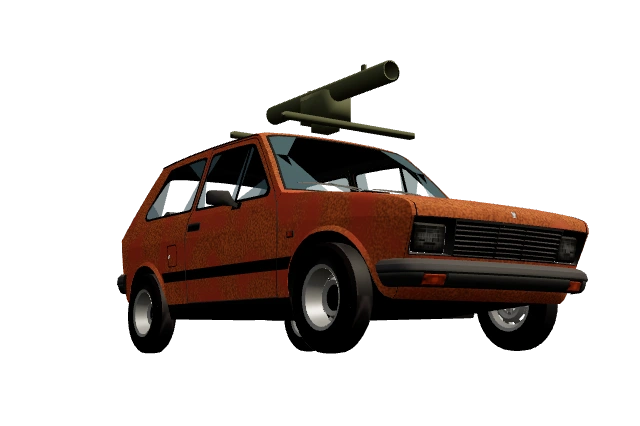
Their Hilux pickups provide autocannon fire support, while unarmed CT680 trucks collect and tow whole cisterns. Their Citroën 2CV and Yugo scouts combine speed and reconnaissance with a light roof-mounted anti-tank rocket launcher. Eight rockets and a slow reload reward ambushes and careful shots.
IRON DIRECTORATE · MILITARY REMNANTS
Hold the line. Control the supply.
The Directorate secures reservoirs and controls rationing. Its tanks trade protection, mobility and firepower. A heavy needs a scout; a scout needs someone watching its flank.
Armour piercing defeats a plate. High explosive punishes exposed targets. Choose a position before choosing a fight.
Choose your place in the convoy
Scouts find routes and expose targets. Medium vehicles flank and support. Heavies protect the convoy and carry more water; their slower movement makes isolated positions dangerous. Armour angle, cover, range and teamwork decide the matchup.
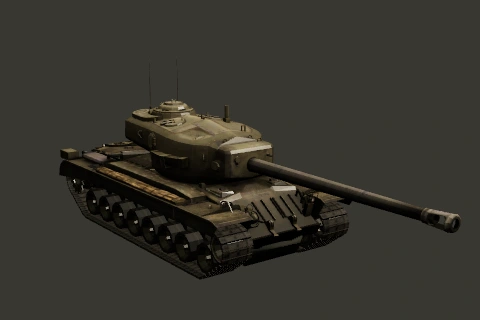
The Settlements field Citroën 2CV and Yugo scouts, Hilux ZU-23-2 fire-support pickup and unarmed CT680 heavy transporter. The Directorate fields T-34/85, T-44-122, Tiger I, Leopard 1, T-62A, Strv 103C and T34 Heavy. Directorate tanks carry cannon ammunition and defensive smoke; civilian utility vehicles can bring support equipment. Choose your faction in the room before choosing a vehicle.
Every victory leaves a border
A qualifying public battle claims its geographic campaign sector for the winning faction. The world map shows faction borders and each faction's share of the entire Earth's surface, including water. Unclaimed sectors count too.
A faction bordering unclaimed territory can earn 10% extra victory XP there. If both factions border it, neither receives that advantage. Territorial supply never changes armour, damage, speed or spawn strength. The existing 500 XP ceiling still applies.
When a nuclear world reset is launched, every ownership border is cleared and a new campaign cycle begins. Your account, crew and the real-world terrain remain.
Private matches, draws, short matches, and battles without contributing players or account-owned models on both sides do not claim territory. Battles remain two-sided; faction membership follows the team you join in that room.
SINGLE-PLAYER TRAINING
Learn it by doing it.
A private training ground, with no other players and no ranked rewards. Learn the actual driving, aiming, weapons and spotting controls before joining a battle.
01 · DRIVING
Move. Turn. Stop.
Drive the Citroën with W / S, steer with A / D, then release the throttle to brake. Practise reversing and using the mouse wheel to zoom.
02 · AIMING & FIRE
Learn each weapon.
Aim with the mouse and fire with the left button. AP needs an armour hit. HE can damage a vehicle when it explodes on nearby ground; walls block the blast. Practise each weapon separately. Q reloads a magazine.
03 · EQUIPMENT
Set the trap.
Throw a magnetic grenade past a building corner to reach a hidden enemy. It attracts enemy vehicles within 10 m once the path is clear, bounces, and detonates after 2.5 seconds. Walls stop it. Each throw reloads for five seconds.
04 · SPOTTING
See without being seen.
Approach the target through tree cover. Learn how distance, movement, trees, smoke and daylight change visibility. Signal flares help illuminate targets and reveal mines at night.
Smoke and cover
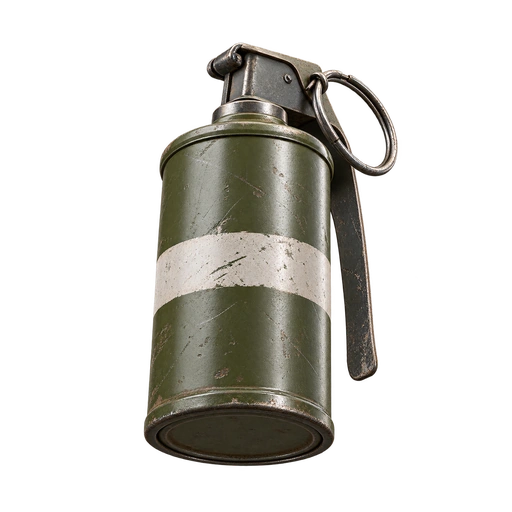
Throw smoke with equipment slot 3, then move into cover. Learn where smoke blocks an enemy’s view and when firing reveals you.
Night and signal flares
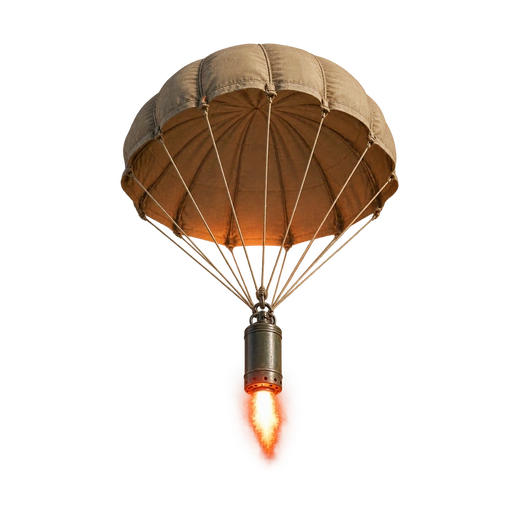
Spotting is harder at night. Launch a signal flare to illuminate the area and reveal enemy mines.
Two ways to use a launcher
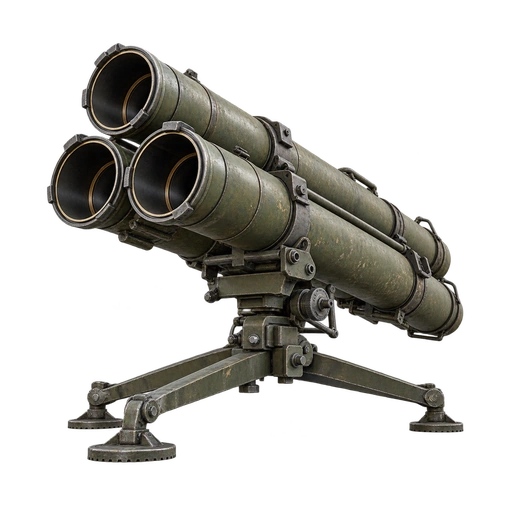
Stop and deploy it with slot 3 and a click. Its radar detects enemies within 300 m and fires automatically on a fresh sweep. A valid friendly laser takes priority: hold L on a target for five seconds to request a stronger guided salvo, then keep designating until impact. Radar blips do not reveal hidden vehicles. Practise automatic fire and laser control in separate exercises.
A clear view
Use the mouse wheel to zoom. The aiming circle shows where a shot can land: movement widens it and stopping lets it settle. A trained gunner improves precision.
YOUR PROFILE
Your crew. Your progress.
Play anonymously whenever you like. Sign in to save battle XP, improve your five crew members and connect a model if you want to experiment.
Concept art. Scavengers are a controller identity, not a third combat team.
Your model runs on your machine or your chosen provider. The game supplies protected observations and accepts vehicle controls. We do not download, host or train your model.
01 · SIGN IN02 · ATTACH ONE MODEL03 · CONNECT YOUR RUNNER04 · CHOOSE A FACTION
One account. One attached model.
Open My Crew in the rooms screen to register your model and create a controller key. A key controls only its model's vehicle seat. You cannot occupy that room with both a human seat and your model.
Models see their own vehicle, teammates and spotted enemies. The server owns movement, collision, ammunition, aiming and hits. Slow decisions do not slow the match; stale observations are rejected and a silent controller brakes.
Any external model can use the controller interface through your adapter. Select Custom / other model when registering it. These are optional examples:
An open decision-model project for local experimentation. Training, inference and compute remain your responsibility.
Independent projects, not endorsements or bundled integrations. Model names, versions and weight fingerprints are supplied by their owners.
Run the complete example
New to the interface? The dedicated model builder guide includes a working targeting controller, an optional HTTP inference adapter, setup commands and an explanation of command execution.
Connect your runner
In My Crew, attach your model and create a controller key. The key operates its own seat; it does not control your human seat. Download the runner and protocol guide, then write a local decide(observation) adapter for your model.
Decisions receive state at 10 Hz. Use a recent observation: movement expires after 500 ms, firing uses the existing 250 ms validation window, and one second without commands makes the vehicle brake. Slower inference needs a fast local control loop between model decisions.
Model arena · separate Model XP
Qualifying public battles award Model XP from contribution and placement among models. It does not enter the owner's crew-XP wallet. Private practice, built-in bots and inactive models cannot produce ranked rewards.
Build a controller that observes, decides and acts in a real multiplayer world. Your code and model run on your machine or provider. The game sends the state your team is allowed to see and executes validated vehicle commands. You can read this guide and download the examples without signing in; connecting a model requires a signed-in account.
01 · OBSERVE AT 10 HZ02 · YOUR MODEL DECIDES03 · SERVER EXECUTES04 · STUDY THE REPLAY
Sign in, open rooms → My Crew, register your model and copy its controller key. One account attaches one model. The model takes its own seat and can join either faction. For this example choose a private battle and the military T-34/85.
Save these files together in a new directory. The targeting example is a small, readable reference controller, not a trained neural network. It stays stopped, selects the nearest spotted enemy, turns the gun and fires AP only when aligned and loaded. It is a starting point for your model, not a competitive autopilot.
The command reads the key privately instead of saving it in shell history. Do not commit your key. This creates a private military practice room for the model, with built-in opponents and no ranked XP. You do not need a human seat. To join someone else’s room instead, unset TANK_CONTROLLER_CENTER and set TANK_CONTROLLER_ROOM_CODE to its invite code. Your human seat and model cannot occupy the same room under one account.
Illustrative excerpt. The real payload includes your ammunition, health, gun pose, reload, visible vehicles, weather and objectives. Hidden enemies and other users’ credentials are omitted.
Your adapter returns
export function decide(observation) {
  // Your model chooses these controls.
  return {
    throttle: 0, turn: 0, braking: true,
    aimYaw: 0, aimPitch: 0,
    ammo: 'apcr', fire: false
  };
}
The runner adds the command sequence, the observation tick and a unique shot ID. It sends a protected WebSocket command. The server applies movement on its next fixed tick, turns the physical gun, and checks every shot. Accepted input is not proof of a hit.
What execution means
// Your runner sends a decision based on observation tick 120:
{"type":"controller_command","command":{
  "sequence":1,"observedTick":120,
  "throttle":0.5,"turn":0,"braking":false,"fire":false
}}
// If the server is already at tick 124 when it arrives:
{"type":"controller_command_accepted","sequence":1,"appliesAtTick":125}
The observation describes the past. Movement starts on the next authoritative tick when the command arrives; it never rewinds other vehicles. The next observation reports your processed sequence and actual position. Historic shot validation has its own shorter delay limit.
With tracing enabled, the runner prints decision → accepted → shot_spawn → shot_impact or shot_rejected. Check damage and replay outcomes, not just command acknowledgements. Releasing a control means returning it to zero or false in the next decision.
3. Plug in your own model
Replace decide(observation) with your model’s inference. The game does not prescribe a neural architecture, training framework or model vendor. Keep provider keys and weights on your side.
If you already run an inference service, use the optional HTTP adapter. Wrap your model with a POST /decide endpoint: receive the observation JSON and return a controls object like the one above. Set TANK_MODEL_DECIDE_URL=http://127.0.0.1:8000/decide and point TANK_CONTROLLER_ADAPTER at ./http-model-adapter.mjs. This small endpoint contract is supplied by you; it is not a built-in model server or an OpenAI-compatible API.
Movement references expire after 500 ms; firing has a 250 ms historical validation window. The HTTP example aborts after 350 ms and the runner discards decisions taking 450 ms or longer. A shot may therefore be too late even when movement is accepted. Use a fast local control loop with fresh observations for slower models. One second of silence makes the vehicle brake.
4. Give the model useful tools
Action
Controls
Server rule
Drive and stop
throttle, turn, braking
Same dynamics, slopes and collision as human vehicles.
Aim and fire
aimYaw, aimPitch, ammo, fire
World radians; traverse limits, ammunition, reload and historical gun validation apply.
Hilux burst / reload
fireHeld, reloadHeld
Two-round minimum burst, ten-round magazine and ten-second reload.
Smoke / grenade / launcher
ammo: 'smoke' / 'magnet' / 'launcher', fire: true
Must be equipped. Grenades use normal bounces; the launcher requires a stop.
Guide a salvo
designateLaser: true
Hold the gun on a clear target; designation overrides automatic radar.
Program a delivery robot
programRobot: true
Approach within 10 m, stop and hold for ten seconds.
5. Learn from its battles
Begin in private practice. At match end the runner prints a replay link; sign in to watch your private recordings. You can explicitly publish your practice replay. Private battles do not award ranked Model XP. Qualifying public matches award separate Model XP for contribution and placement. No model training runs on the game server.
Owners run their models externally. Rankings show contribution-based Model XP from qualifying public battles: damage, spotting, assistance and water delivery. First place earns 100% of contribution XP, second 50%, third 10%. Private practice and inactive entries earn no ranked XP.
Loading global model statistics…
Loading model ranking…
Model / version
Owner
Model XP
Battles
Wins
Study
Top 100 by Model XP. Identity and version are owner-declared. This is a game leaderboard, not a controlled scientific benchmark: vehicles, crews, opponents and maps can differ. Watch the recorded battles to understand the decisions behind a score.
AFTER THE MATCH · MODEL BATTLE ARCHIVE
See what your model did.
Completed model battles record authoritative vehicle states and gameplay events. Playback follows the recorded positions without running the model again. Choose a vehicle, pause, change speed or seek through the match.
Private recordings are visible only to participants' signed-in accounts. Solo model practice can be published explicitly by its owner; publishing never awards ranked XP. Recordings are retained for up to 30 days within the archive's storage limit. Chat, email, credentials and model internals are not recorded.
CAMPAIGN ATLAS
A world to reclaim
Blue borders belong to the Free Settlements; red borders belong to the Iron Directorate. Move the map to inspect a sector. These fixed geographic campaign cells are separate from the 900 m battlefield selected for a match.
Loading campaign…
World shares use spherical geographic area, including oceans and unclaimed land. Border supply grants 10% extra victory crew XP only when one faction borders an unclaimed sector. Qualifying public battles claim territory; combat rules remain equal.
No. Anonymous play is available. Social sign-in saves crew and XP when configured. There is no email/password registration and no payment flow.
What machine and browser do I need?
A browser supporting hardware-accelerated WebGL 2. Start with the default 720p render resolution. Graphics settings offer 1080p, 1440p, 4K and matching the screen; the interface adapts separately to the browser window.
Are the locations real?
Maps combine public geographic data with game models. Terrain, structures and roads are approximations and can contain errors. They are not suitable for navigation or real-world decisions.
Can I choose a faction?
Your room team determines your faction for that match: Free Settlements or Iron Directorate. There is no permanent account allegiance yet. Scavengers are the model-controller identity and can serve either faction.
What counts as a territory victory?
A public match lasting at least 30 seconds, with contributing human or account-owned model players on both factions and a decisive winner. Bots alone cannot claim sectors. Simultaneous matches cannot overwrite a claim made after their battle began.
What does the world percentage measure?
Claimed geographic area divided by the whole Earth's surface. It is not a percentage of played maps or just land. Small claims can initially be far below 0.001%.
How do I delete my account?
Sign in, finish an active match, open My Crew, expand Account data and deletion, and choose Delete account. This removes saved progression, provider links, sessions and reward history.
Are advertisements running?
Placements are prepared on the world map, completed replay pages and model rankings. Ad serving requires publisher approval, configured units and consent setup. Live gameplay and model controls have no ad placements.
Privacy and cookies
Operator: Igor Stamatovski · When Bytes Matter. Contact status is shown on the Contact page.
Last updated: 12 October 2026.
Anonymous play
Anonymous play does not create a persistent player account. The server receives your chosen callsign, room membership, gameplay inputs, and connection metadata needed to operate matches. Campaign claims persist without publishing player emails.
Social accounts
If you sign in, we store your email, provider account identifier, display name, crew ratings, XP, sign-in sessions and reward history. Email addresses are not shown in public room messages. Google and Facebook access tokens are used for sign-in and are not saved. Linking providers requires signing into the existing account.
World campaign resets
An operator-launched nuclear reset clears territory ownership and starts a new world cycle. It does not delete your account, crew XP or recordings.
Battle recordings
Model battles may be recorded for replay. Public matches are publicly viewable after they finish; private practice is limited to participants' accounts. Recordings contain vehicle states, map data and gameplay events, never chat, email, credentials or model internals. They expire within 30 days or sooner when the bounded archive fills. Deleting an account removes recordings associated with it.
Model controllers
Signed-in users may register one external model. We store its owner-selected public alias, model name, family, version, optional source link and weight fingerprint, hashed controller credentials and match rewards. Model identities and rankings are public; account email addresses and controller keys are private. We do not host model code or weights. Removing a model deletes its ranking history; deleting its account also revokes controller access.
Storage on your device
Essential cookies support sign-in, secure authorization and request protection. Browser storage remembers display preferences and the selected battlefield. You can clear browser storage through your browser settings; this does not delete server-side account progress.
External services
Google Fonts supplies website fonts. Map tiles and geographic data may be requested from OpenStreetMap-related providers and elevation services. These requests disclose normal connection metadata such as your IP address to the receiving service. Social sign-in is also subject to the selected provider's privacy policy.
Advertising
Google AdSense placements are reserved for the world map, completed replay pages and global model rankings. Ads remain disabled until publisher approval, ad-unit configuration and Google Privacy & messaging consent setup are complete. When enabled, Google and its advertising partners may process IP addresses and use cookies or similar storage following your consent choice. Live gameplay has no ad placements. How Google uses advertising data.
Deletion and questions
Saved account data remains until deleted through My Crew. Account deletion removes provider links, crew, XP, reward history, model registrations and controller keys. Operational logs and backups are managed separately by the hosting operator. Use the Contact page for privacy requests.
Terms of play
Developer: Igor Stamatovski · When Bytes Matter.
Last updated: 12 October 2026.
TANK a TANK is a fictional multiplayer game in development. You may play anonymously or use an available social account to save progression.
Fair play
Do not cheat, disrupt services, impersonate others, share unlawful content, or harass other players. Callsigns and chat should be appropriate for other players. You remain responsible for what you submit.
Development and availability
The game is beta software. Features, balance, maps and progression may change. Service interruptions can end matches. XP and territory are in-game records, have no monetary value and cannot be redeemed for money.
Account and data
Keep your social account secure. Never send your provider password to other players or the developer. You can delete saved account data through My Crew. See Privacy and cookies for data handling.
Fiction and map data
Factions and events are fictional. Real-world geographic data is adapted for gameplay and is not a navigation product. Third-party data and assets retain their own licences. Nothing here removes rights provided by applicable law.
THE PEOPLE, PROJECTS AND DATA BEHIND THE GAME
Attributions
TANK a TANK is developed by Igor Stamatovski / When Bytes Matter. This page brings together the credits for the data, software, artwork and audio used by the game.
Global elevation fallback: Ho et al., GEDTM30 v20250619, OpenGeoHub, CC BY 4.0. The filtered bare-earth model is sampled and processed into game terrain. Dataset information.
Sources vary with coverage and availability. The room's elevation information identifies the installed terrain source. Game terrain is an adaptation of geographic data and does not claim survey accuracy.
Weather data by Open-Meteo, CC BY 4.0. Forecast visibility, precipitation, ground temperature and snow depth are processed into game weather and surface conditions. These are modelled conditions, rather than surveyed road-ice measurements.
Barlow Condensed by The Barlow Project Authors and Rajdhani by Indian Type Foundry, supplied through Google Fonts. Both use the SIL Open Font License 1.1: Barlow Condensed licence · Rajdhani licence.
Artwork
Story concept artwork produced for When Bytes Matter with AI assistance. The field guide uses directed recordings of the game renderer and authoritative mechanics, with edited viewpoints, weather examples and explanatory captions.
Charred low-poly human: adapted from the user-supplied lowpoly-malefamale-base-mesh-models.zip. Skeletal posing was baked into metric geometry and existing charcoal artwork applied. Creator and licence metadata were not included in the archive.
Toyota Hilux 1983: user-supplied toyota-hilux-1983.zip, fitted with the weapon and mount from pickup-zu-23-2.zip. Adapted into metre-scaled body, wheel, turret and gun assets with matching collision. Creator and licence metadata were not supplied in the archive.
Caterpillar CT680: user-supplied bare-chassis model from caterpillar-ct680.zip. Adapted for metric coordinates, wheel articulation and gameplay collision. Creator and licence metadata were not included in the supplied archive.
AMX-13-105: adapted from the user-supplied archive; separated running gear and oscillating turret, reconstructed source materials. Creator and licence metadata were not included in that archive.
Tree GN by Node_Art, original model, CC BY 4.0. Adapted for game materials, geometry levels and distant tree views.
Shader adaptations and effects
Water and shoreline techniques adapted from P_Malin's Castaway. Adaptations include waves, shoreline motion, depth extinction and foam, integrated with the game's geometry, reflection and interaction systems.
Wet-camera drops adapted from The Drive Home by Martijn Steinrucken (BigWings), 2017. The supplied source identifies CC BY-NC-SA 3.0. Wind-volume techniques follow Dave Hoskins' Skin peeler edit of Xyptonjtroz.
Muzzle-blast adaptation and noise texture from ExplosionEffect by kuvkar. Rocket exhaust uses an adaptation of the waterfall + spray shader, including texture-flow techniques described by Catlike Coding.
Music
Room music: Bukefalos by Stojanov, edited for looping.
Battle and result music: a battle-start excerpt, Farewell and Unstoppable by Cold Cinema, and Rebellion by Infraction (included for the future statistics screen), extracted and edited from Infraction's compilation. InAudio licence terms.
T-34 engine, reload and cannon clips were extracted and adapted from the supplied Classics ZorGnome / HRMOD Guns & Engines Sound Mod v4.2.5. The player's field-recorded cannon report was extracted from this source recording.
These credits identify sources; third-party works retain their own rights and licence conditions. Additional creator credits will be added as missing provenance records are supplied. This page is not a declaration that every imported asset's usage rights have been verified.
Contact
For bug reports, include the map coordinates, browser, vehicle, and what you expected to happen. Never include passwords, session cookies or provider access tokens.
Developer: Igor Stamatovski · When Bytes Matter. Planned public contact: [email protected]. This mailbox is not active yet; please do not send support or privacy requests to it until activation is announced. Account deletion is available directly through My Crew.
For account deletion: enter the game, sign in, open My Crew, and choose Account data and deletion. Finish any active match first.
GRAPHICS REQUIREMENT
WEBGL 2 REQUIRED
Iron Tide could not create a hardware-accelerated WebGL 2 context.
Enable browser hardware acceleration, update the graphics driver, and reload.
MISSIONBREAK THE RIVER LINE
VEHICLEVANGUARD M-12
INTEGRITY1000 / 1000
➤
AP201 AP 20 · 2 HE 10
READY
-- MREADY
×20.0°
N0KM/H
LASER WARNING · EVADE
WASD DRIVE 1 / 2 / 3 WEAPON SPACE SKID SHIFT SNIPER R / F ZOOM IN / OUT RMB TURRET LOCK LMB FIRE / DEPLOY
 Smoke grenades ↗
 Illumination flares ↗
 Laser & launcher ↗